
Membean Automation You Actually Control
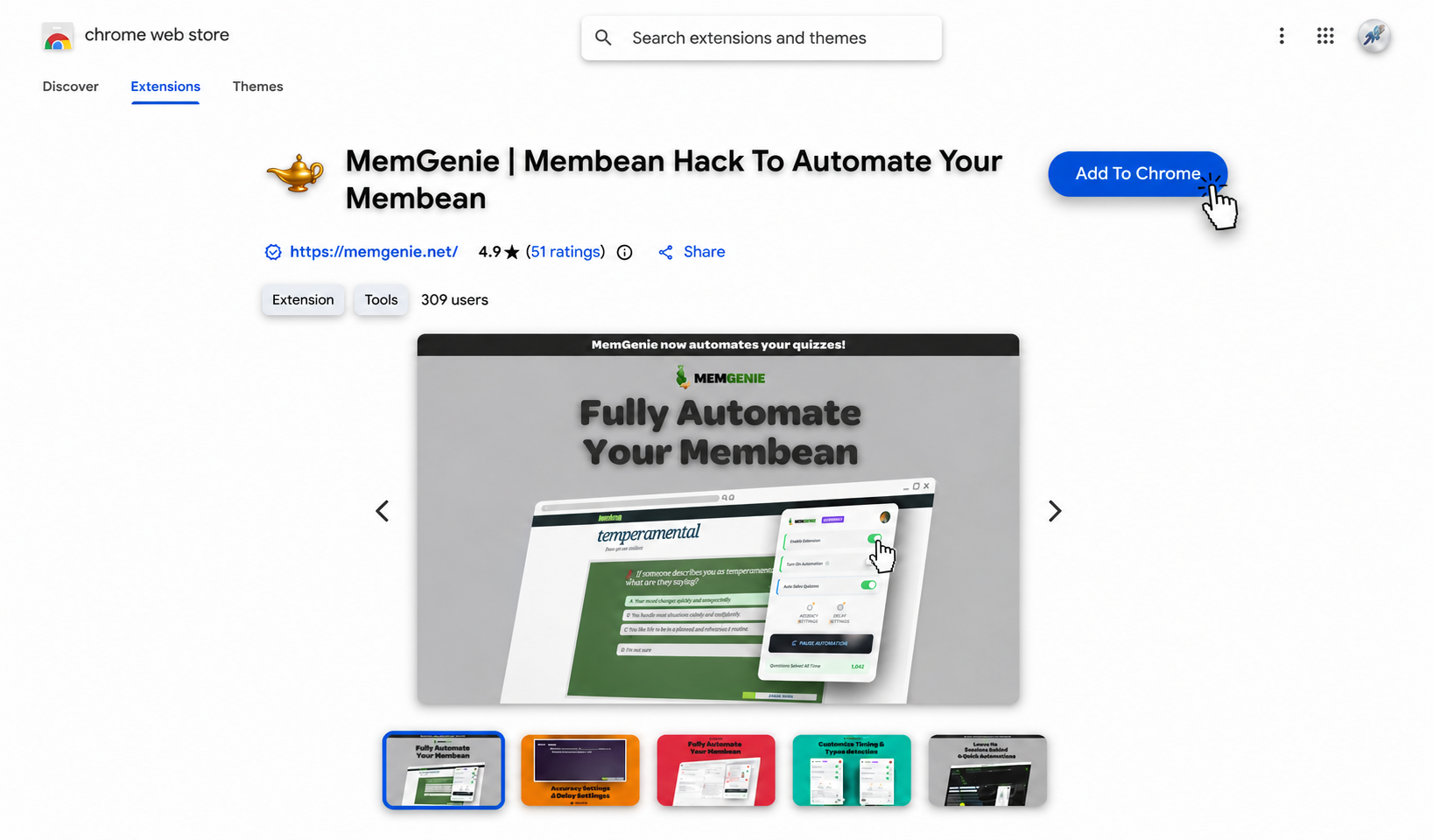
Most automation is a black box. MemGenie runs your whole Membean session, but the accuracy, timing, and typing all sit on a control panel you set once.


Enable Extension
Switch it on and MemGenie sits ready on any Membean tab you open.
Turn On Automation
This is the master switch — flip it and the session runs itself start to finish.
Auto-Solve Quizzes
Leave this on and the automation covers quizzes too, not only the training.
Accuracy
Set the score the automation aims for so it never lands on a suspicious perfect run.
Timing
Decide how long it pauses between answers so the pace reads like a real person working.
Live Dashboard
Check in whenever you want and watch the solved count tick up on its own.
- 1
Enable Extension
Switch it on and MemGenie sits ready on any Membean tab you open.
- 2
Turn On Automation
This is the master switch — flip it and the session runs itself start to finish.
- 3
Auto-Solve Quizzes
Leave this on and the automation covers quizzes too, not only the training.
- 4
Accuracy
Set the score the automation aims for so it never lands on a suspicious perfect run.
- 5
Timing
Decide how long it pauses between answers so the pace reads like a real person working.
- 6
Live Dashboard
Check in whenever you want and watch the solved count tick up on its own.
MemGenie is a Chrome extension that automates Membean training sessions and quizzes from start to finish. You set the accuracy and answer timing once, then leave it running — the automation stays natural instead of tipping Membean off.
- Configure it in about 30 seconds, then it's set-and-forget.
What Membean Automation Actually Means
Membean automation is the idea of handing your nightly training and quizzes to a tool instead of clicking through every question yourself. The catch is that most automation is all-or-nothing — it runs one fixed pattern and you either accept it or you don't. MemGenie treats automation as something you configure. The session runs on its own, but the accuracy it aims for and the pace it works at are settings you own.
Why Put Membean on Autopilot
Membean is repetitive on purpose, and repetition is exactly what a machine should be doing instead of you. Automating it makes sense when:
- The same training lands on your plate several nights a week
- You keep losing weeknights to a task that doesn't need your brain
- Doing it fast by hand is what actually gets people flagged
- You'd rather set it up once than babysit every question
The Control Surface Behind the Automation
The reason MemGenie's automation stays believable is that you shape how it behaves before it starts. Three things sit on the panel and they're the whole game:
- Accuracy: the target score the automation aims for, so it isn't perfect every single time.
- Timing: how long it waits between answers, so nothing lands faster than a person could read.
- Typing behavior: real keystroke pauses and variation instead of one instant paste.
Set those three the way you want and the automation does the rest. That's the difference between a rigid script and a tool you dial in.
How to Automate Membean with MemGenie
MemGenie automates the session while leaving the controls in your hands. Three steps to set it running:
Install the MemGenie extension
Add MemGenie from the Chrome Web Store. It installs in under 30 seconds and works on Chrome, Edge, and Brave.
Start your Membean session
Open Membean and begin your training or quiz like usual. MemGenie recognizes the page and arms the automation on its own — nothing to launch by hand.
Configure it once, then let it run
Set your accuracy and answer delay a single time and MemGenie remembers them. From there it's set-and-forget — the automation works the session while you keep control over how fast and how perfect it looks. Try the real controls below:
Accuracy Settings
Timing Settings
MemGenie will answer about 80% correct and wait around 20s per question — natural enough that Membean reads it as real work.
What You Can Dial In
Custom Accuracy
Pick the score the automation targets. A flawless 100% is the fastest way to look automated.
Answer Delays
Choose the gap between answers so the session paces out like real work, not a data dump.
Human-Like Typing
The automation types with pauses and variation instead of pasting a whole answer at once.
Quiz Coverage
Automation isn't just the nightly training — quizzes get handled on the same settings.
Set-and-Forget
Configure it once and MemGenie keeps your settings for every session after.
Chrome Extension
The whole control panel lives in your browser, ready the moment a Membean tab opens.
Configure Once, Then Walk Away
The point of automation is that it keeps running without you. Once you've set your accuracy and timing, MemGenie holds onto them, so the next session doesn't need a single new decision. Start Membean, let the automation take it, and go do something else. If you ever want a different balance — a little faster, a little less perfect — the controls are right there in the popup and take a second to change.
Keeping Automated Sessions Undetected
Membean flags accounts when a session looks automated — answers that come in faster than anyone could read, a spotless score with no hesitation, the same rhythm on every question. That's why the copy-paste scripts get caught first. MemGenie's automation is built to avoid that shape: it types like a person, waits the amount of time you set, and hits the accuracy you chose instead of a suspicious perfect run. Configured with a bit of sense, an automated session blends in with the ones you'd have done yourself.
What Students Say About the Automation
"I set the accuracy and timing the first night and never touched them again. Now Membean just runs itself while I do actual homework."
— Grace H., High School Senior"Being able to configure how it runs is what sold me. It's automation I trust because I decided how careful it is."
— Liam P., JuniorMembean Automation FAQ
What is Membean automation? It's handing your training and quizzes to a tool that works them for you. MemGenie runs the full session automatically while letting you set the accuracy, answer timing, and typing behavior.
Is the automation really set-and-forget? Yes. You configure accuracy and timing once and MemGenie keeps those settings for every session after, so there's nothing to redo each night.
Will automating Membean get me flagged? Membean flags activity that looks automated — too fast, too perfect, too uniform. MemGenie is built to avoid that with human-like typing, the delays you set, and realistic accuracy, so the session reads as normal work.
Can I change the accuracy and timing later? Anytime. Both controls live in the popup, so you can nudge how fast or how perfect the automation runs whenever you want.
Does the automation cover quizzes? Yes. Turn on quiz mode and the same automation handles Membean quizzes, not just the training — see Membean quiz answers for more, or check pricing for current plans.
Start Automating Membean Today
MemGenie turns Membean into something you set up once and stop thinking about. Configure the automation the way you want, let it run your sessions, and take back the nights you'd spend clicking through vocab. Add the extension and see how little of your week Membean has to eat.