
The Membean Extension That Lives in Your Browser
No second website, no copy-paste. MemGenie is a real Chrome extension that sits in your toolbar and does the work right on the Membean page.

Enable Extension
The one switch that turns the extension on for the tab you're in.
Turn On Automation
Hand the whole session to the extension instead of clicking through it.
Auto-Solve Quizzes
Point the extension at quizzes too, not only the nightly training.
Accuracy
Tell it how often to miss on purpose so the score reads like yours.
Timing
Set the gap between answers right from the popup, no config files.
Live Dashboard
The popup keeps a running count of everything it has cleared for you.
- 1
Enable Extension
The one switch that turns the extension on for the tab you're in.
- 2
Turn On Automation
Hand the whole session to the extension instead of clicking through it.
- 3
Auto-Solve Quizzes
Point the extension at quizzes too, not only the nightly training.
- 4
Accuracy
Tell it how often to miss on purpose so the score reads like yours.
- 5
Timing
Set the gap between answers right from the popup, no config files.
- 6
Live Dashboard
The popup keeps a running count of everything it has cleared for you.
MemGenie is a Membean extension for Chrome that installs in your toolbar and runs your training and quizzes right on the page. Because it lives in the browser, there's no second website to open and no answers to copy and paste.
- Installs in about 30 seconds on Chrome, Edge, or Brave.
- Only wakes up on Membean pages.
What Is the Membean Extension?
A Membean extension is a small piece of software you add to your browser once. After that it sits quietly next to your address bar and only comes to life when you open Membean. That's the whole difference between an extension and a website tool: a website is somewhere you have to go, while an extension is already there, on the same page as your session.
MemGenie is that kind of tool. It doesn't ask you to log in anywhere new or forward your session to a server you've never heard of. When you land on a Membean training screen, the extension reads the question in the tab you already have open and does the work in place.
Why an Extension Beats Web Tools and Logins
The web tools people try first all share the same friction. You copy the word, tab over to another site, wait for it to think, then tab back and type the answer in yourself. Do that a hundred times a week and you haven't really saved anything. An extension that lives in your browser skips every one of those steps.
- No second tab and nothing to copy or paste, since it acts on the Membean page directly
- No handing your login or session over to an outside website
- It already knows which question is on screen, so the answer matches the exact prompt
- One install and it's ready every night without you setting it up again
How the Membean Extension Runs a Session
Getting the extension going takes about a minute, and after the first time it's basically automatic. Three steps:
Install the extension
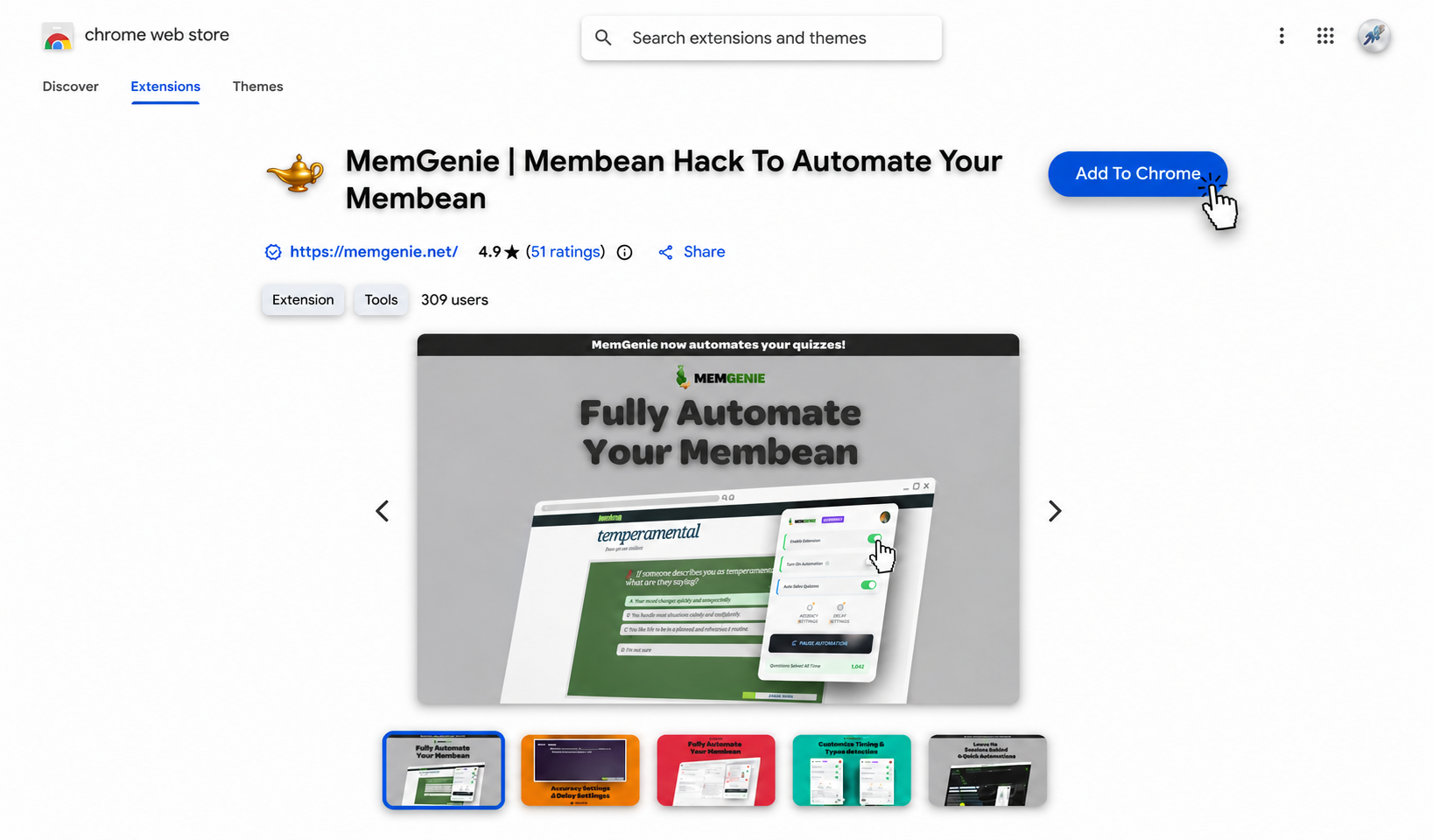
Add MemGenie from the Chrome Web Store. It installs in about 30 seconds, pins to your toolbar, and works the same on Chrome, Edge, and Brave.
Open your Membean session
Log in and start your training or quiz like you always do. The extension notices it's a Membean page and wakes up on its own, so there's no button to hunt for.
Set your accuracy and timing
Click the toolbar icon to open the popup, pick how accurate and how fast the session should be, then let the extension run it. Drag the sliders below to see the real controls the popup gives you:
Accuracy Settings
Timing Settings
MemGenie will answer about 70% correct and wait around 15s per question — natural enough that Membean reads it as real work.
What the Extension Can and Can't See
Fair question before you install anything: what is it actually allowed to touch? MemGenie asks to run on Membean pages and nothing else. It doesn't sit on your banking tab or read your email, and it isn't watching the rest of your browsing. The permission it requests is the standard one an extension needs to read and act on the page you're currently looking at.
Practically, that means the extension is asleep almost all the time. It only does anything once a Membean session is open in front of you, and it goes quiet again the moment you close the tab.
What the Extension's Controls Give You
Toolbar Popup
Every setting lives in one small popup by the address bar. No config files, no dashboard to log into.
Custom Accuracy
Choose how often it misses on purpose so a perfect score never gives you away.
Answer Delays
Space the answers out so nothing lands faster than a person could read the prompt.
Human-Like Typing
Types with real pauses and variation instead of pasting the answer in one shot.
Quiz Mode
Turn the extension loose on quizzes too, not just the nightly training.
Live Count
The popup keeps a running tally of questions the extension has handled.
How It Stays Out of the Way
A good extension is one you forget is installed. MemGenie doesn't add banners to Membean, doesn't nag you between sessions, and doesn't slow the page down while you read. The icon just sits in your toolbar until a session shows up. When you want it, one click on the popup and it's running. When you don't, it's dormant and invisible.
Why MemGenie Is the Extension Worth Installing
- Right on the page: it works inside your Membean tab, so there's no second site and nothing to copy over.
- You set the behavior: accuracy and timing live in the popup, not baked into a script you can't change.
- Narrow permissions: it only runs on Membean and stays out of the rest of your browsing.
- Kept current: we update the extension when Membean changes, so it keeps working instead of breaking.
- Cheap to run: unlimited use for less than an hour of tutoring.
What Students Are Saying
"I like that it's an actual extension. I open Membean, click the icon, and it's already reading the page — no copy-pasting into some other site."
— Noah D., Senior"It just sits in my toolbar and stays out of my way until I need it. Setup was one install and I've never touched it since."
— Aisha F., FreshmanMembean Extension FAQ
What is the Membean extension? It's a browser extension you install once that runs your Membean sessions on the page itself. MemGenie focuses on a toolbar popup with accuracy, timing, and typing controls.
Does the extension work in Chrome? Yes, and it works the same in Edge and Brave. The core experience lives in your browser toolbar rather than on a separate website.
What permissions does it need? It only asks to run on Membean pages. It doesn't read your other tabs, and it stays dormant until a session is open.
Can I change the accuracy from the extension? Yes. Accuracy is set right in the popup, along with answer delay and how it types.
Is there a free version? Free scripts tend to be the ones that get patched or flagged fastest. MemGenie is a maintained extension with real controls — see pricing for plans. It also handles quizzes when you get Membean quiz answers with quiz mode.
Get the Extension Today
Add MemGenie to your browser once and your Membean sessions run right there on the page, on your terms. Install it, open a session, and see how much of your week the extension quietly hands back to you.