Looking for a Membean Script? Here's the Maintained Version That Doesn't Break
Most Membean scripts are a random userscript that dies a week later. MemGenie is the version that keeps working: a maintained Chrome extension with real accuracy and timing controls.


Enable Extension
No pasting code. Flip one switch and MemGenie is live on any Membean page.
Turn On Automation
This is the part a plain script can't give you cleanly — the whole session runs itself.
Auto-Solve Quizzes
Quizzes are covered too, something most loose scripts never handle.
Accuracy
Dial in how often it misses on purpose. A script that nails 100% is the one that gets flagged.
Timing
Set real gaps between answers instead of the identical rhythm a script fires at.
Live Dashboard
See your solved count climb, straight from the popup.
- 1
Enable Extension
No pasting code. Flip one switch and MemGenie is live on any Membean page.
- 2
Turn On Automation
This is the part a plain script can't give you cleanly — the whole session runs itself.
- 3
Auto-Solve Quizzes
Quizzes are covered too, something most loose scripts never handle.
- 4
Accuracy
Dial in how often it misses on purpose. A script that nails 100% is the one that gets flagged.
- 5
Timing
Set real gaps between answers instead of the identical rhythm a script fires at.
- 6
Live Dashboard
See your solved count climb, straight from the popup.
A loose Membean script is fragile, but MemGenie is a maintained Chrome extension that auto-answers Membean sessions and quizzes with adjustable accuracy and timing. It's the safer, kept-up-to-date version of what a script tries to do.
- Installs in about 30 seconds on Chrome, Edge, or Brave — nothing to paste.
- Updated when Membean changes.
What Is a Membean Script?
A Membean script is usually a small piece of code someone wrote to answer Membean questions automatically. You'll see them shared as Tampermonkey or Greasemonkey userscripts, pasted into the browser console, or dropped in a GitHub repo. The idea is simple: let the code fill in answers so you don't have to sit through the training. In practice, that convenience rarely lasts.
Why Most Membean Scripts Break and Get Flagged
The problem isn't the idea, it's how a bare script behaves. It has no sense of what looks human, so it answers the same way every time. That's the exact pattern Membean's system is watching for.
- No accuracy control, so it hits 100% every session and stands out immediately
- Identical timing, firing each answer at the same robotic interval
- Unmaintained, since whoever posted it moved on months ago
- Patched fast, because a public script is easy for Membean to detect and block
Membean Script vs a Maintained Extension
Think of MemGenie as the grown-up version of a Membean script. It does the same job — answering for you — but with the controls and upkeep a raw script never has.
- A loose script: paste code, hope it still works, no settings, dead the moment Membean tweaks a page.
- Console snippets: break on every update and often flag you with instant, uniform answers.
- GitHub userscripts: stale forks, mismatched selectors, zero support when they stop working.
- MemGenie: a real extension with accuracy, timing, and typing controls, kept current so it keeps working.
How to Replace a Membean Script with MemGenie
You don't paste anything or hunt for a working fork. MemGenie installs like any extension and runs inside your session. Three steps:
Install the MemGenie extension
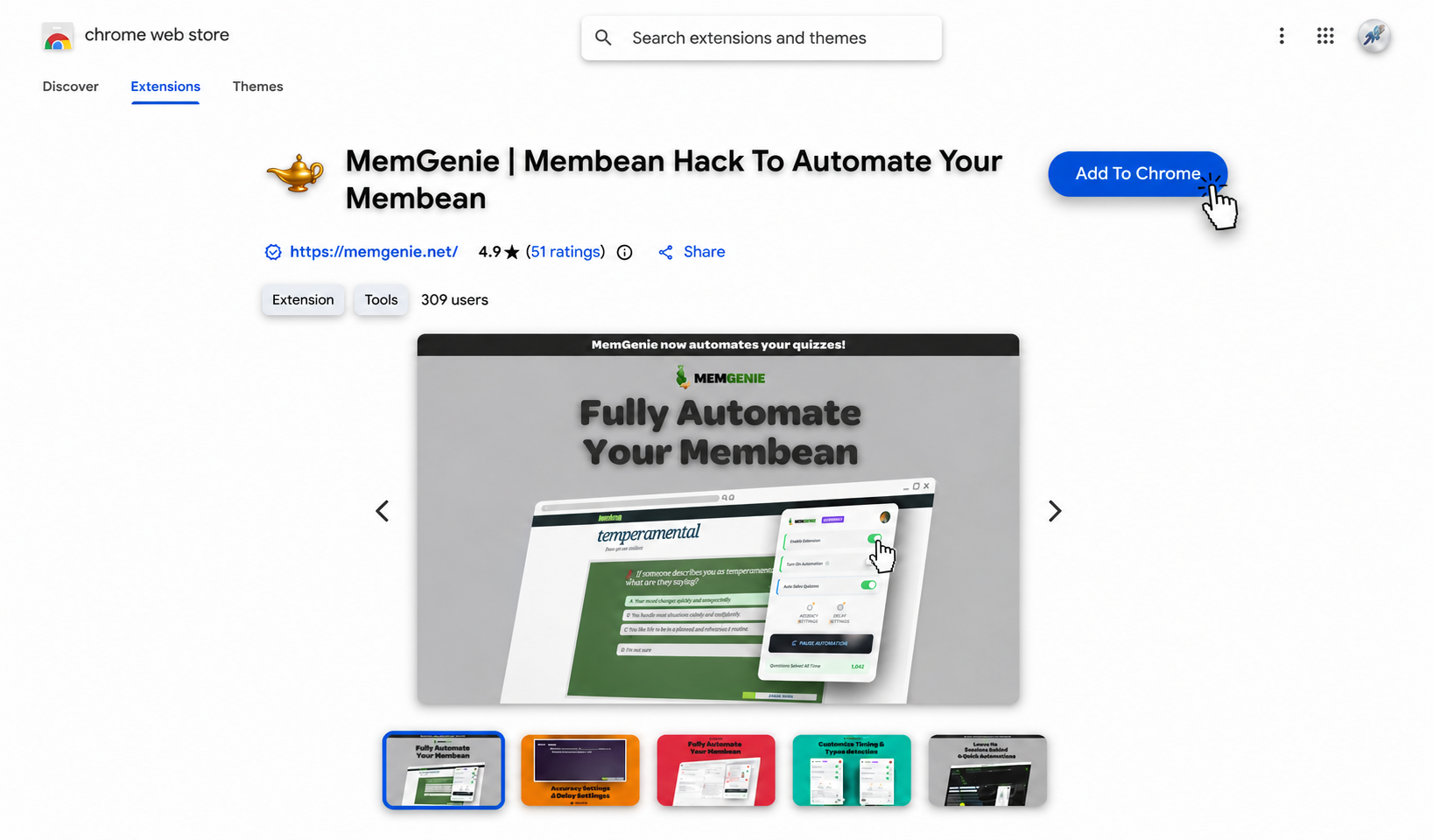
Add MemGenie from the Chrome Web Store. It installs in under 30 seconds and works on Chrome, Edge, and Brave — no code to copy, no userscript manager to configure.
Open your Membean session
Log in and start your training or quiz the way you normally would. MemGenie notices you're on a Membean page and gets ready on its own, no manual trigger needed.
Set your controls and let it run
Pick your accuracy, how long it waits between answers, and how it types. This is what a plain script can't offer. Drag the sliders below — these are the real MemGenie controls:
Accuracy Settings
Timing Settings
MemGenie will answer about 80% correct and wait around 15s per question — natural enough that Membean reads it as real work.
What the MemGenie Controls Do
Custom Accuracy
Choose how often it answers right. A script has no dial for this, so it always looks too perfect.
Answer Delays
Vary the wait between answers instead of the fixed interval a script fires at.
Human-Like Typing
Types with pauses and natural variation rather than one instant paste.
Quiz Mode
Handles the quizzes too, which most Membean scripts skip entirely.
Kept Updated
We patch it when Membean changes, so it doesn't rot like an abandoned script.
Chrome Extension
Install once and it lives in your browser — no console, no userscript manager.
Can a Membean Script Get You Flagged?
Yes, and that's where cheap scripts fail hardest. Membean watches for activity that doesn't look human: answers landing faster than anyone could read, a perfect score every time, the same timing on every question. A bare script does all three, which is why the public ones get caught and patched so quickly. MemGenie types like a person, spaces its answers out, and keeps your accuracy realistic on purpose, so a session blends in with the ones you'd do yourself.
Why MemGenie Beats a Loose Membean Script
- It keeps working: we update it when Membean changes, so it doesn't die like a posted script.
- Real controls: set accuracy, timing, and typing instead of a fixed script you can't touch.
- Built to blend in: it types, waits, and misses the odd question the way a real student does.
- Nothing to paste: install it once from the Chrome Web Store, no console or userscript manager.
- Cheap: unlimited use for less than an hour of tutoring.
What Students Say About Ditching Scripts
"I burned through three GitHub scripts that all broke within a week. MemGenie has just kept working, and I set the accuracy so it never looks off."
— Caleb J., Senior"The old console script I used answered everything instantly and I got a warning. This one actually waits and types like me. Night and day."
— Nina G., FreshmanMembean Script FAQ
What is a Membean script? It's code someone wrote to auto-answer Membean, usually a Tampermonkey userscript, a console snippet, or a GitHub repo. The concept works, but bare scripts have no controls and break fast.
Is MemGenie a Membean script? It's the maintained version of one. Instead of pasted code, it's a Chrome extension with real accuracy, timing, and typing controls that stays updated when Membean changes.
Why do free Membean scripts stop working? They're public and unmaintained, so Membean spots the pattern and patches it, and whoever posted the script rarely fixes it. MemGenie is actively kept current instead.
Can a Membean script get me flagged? Yes. Uniform timing and a perfect score are what Membean watches for. MemGenie avoids that with human-like typing, realistic delays, and adjustable accuracy.
Is there a free Membean script that's safe? The free ones tend to be the fastest to get patched or flagged. MemGenie is a maintained tool with real controls — see pricing — and it also answers quizzes when you get Membean quiz answers with quiz mode.
Get Started With MemGenie
If you came here for a Membean script, this is the version that won't leave you stranded next week. Install MemGenie, set your controls, and let it clear your sessions without the fragility of a loose script. Grab it and get your nights back.