The Membean Chrome Extension That Runs Your Sessions for You
Want a Membean Chrome extension that just works? MemGenie is a lightweight add-on you grab from the Chrome Web Store and pin to your toolbar, and it answers your training and quizzes for you.


Enable Extension
The toolbar switch that turns MemGenie on the moment you open Membean in Chrome.
Turn On Automation
Hand the whole session to the extension instead of typing each answer yourself.
Auto-Solve Quizzes
The same add-on covers Membean quizzes, not only the nightly training.
Accuracy
Choose how often it misses so your score never reads as a flawless bot run.
Timing
Set the gap between answers so nothing lands faster than you could read it.
Live Dashboard
Your running solved count, right there in the popup whenever you click the icon.
- 1
Enable Extension
The toolbar switch that turns MemGenie on the moment you open Membean in Chrome.
- 2
Turn On Automation
Hand the whole session to the extension instead of typing each answer yourself.
- 3
Auto-Solve Quizzes
The same add-on covers Membean quizzes, not only the nightly training.
- 4
Accuracy
Choose how often it misses so your score never reads as a flawless bot run.
- 5
Timing
Set the gap between answers so nothing lands faster than you could read it.
- 6
Live Dashboard
Your running solved count, right there in the popup whenever you click the icon.
MemGenie is a Chrome extension that installs from the Chrome Web Store and auto-answers your Membean sessions and quizzes. You set the accuracy and answer timing from the toolbar popup, so each session reads like real work.
- One-click install, then it pins to your Chrome toolbar.
- Same download works on Edge and Brave.
What Is the Membean Chrome Extension?
The Membean Chrome extension from MemGenie is a small add-on that lives in your browser toolbar. Once it's installed, it recognizes when you open Membean and puts the automation controls one click away. There's nothing to log into separately and no desktop app to run — the extension is the whole product, and it sits quietly until you're on a Membean page.
Because it's a Chrome extension, everything happens right where you already study. You click the pinned icon, flip a couple of switches, and the session gets handled without you tabbing between tools.
Why Chrome (and Edge and Brave) Make This Easy
Chrome is where most students already do their Membean sessions, so a browser add-on is the natural home for the controls. The nice part is that the Chrome Web Store isn't just Chrome — Edge and Brave are built on the same engine and install from the exact same listing.
- One Chrome Web Store listing covers Chrome, Edge, and Brave
- No zip files to unpack or developer mode to toggle on
- Updates arrive automatically, so you're never running a stale build
- The extension only wakes up on Membean pages, not everywhere you browse
How to Install the Membean Chrome Extension
Getting set up is quick — most people are done before their session would have loaded. Here's the whole thing in three steps.
Add MemGenie from the Chrome Web Store
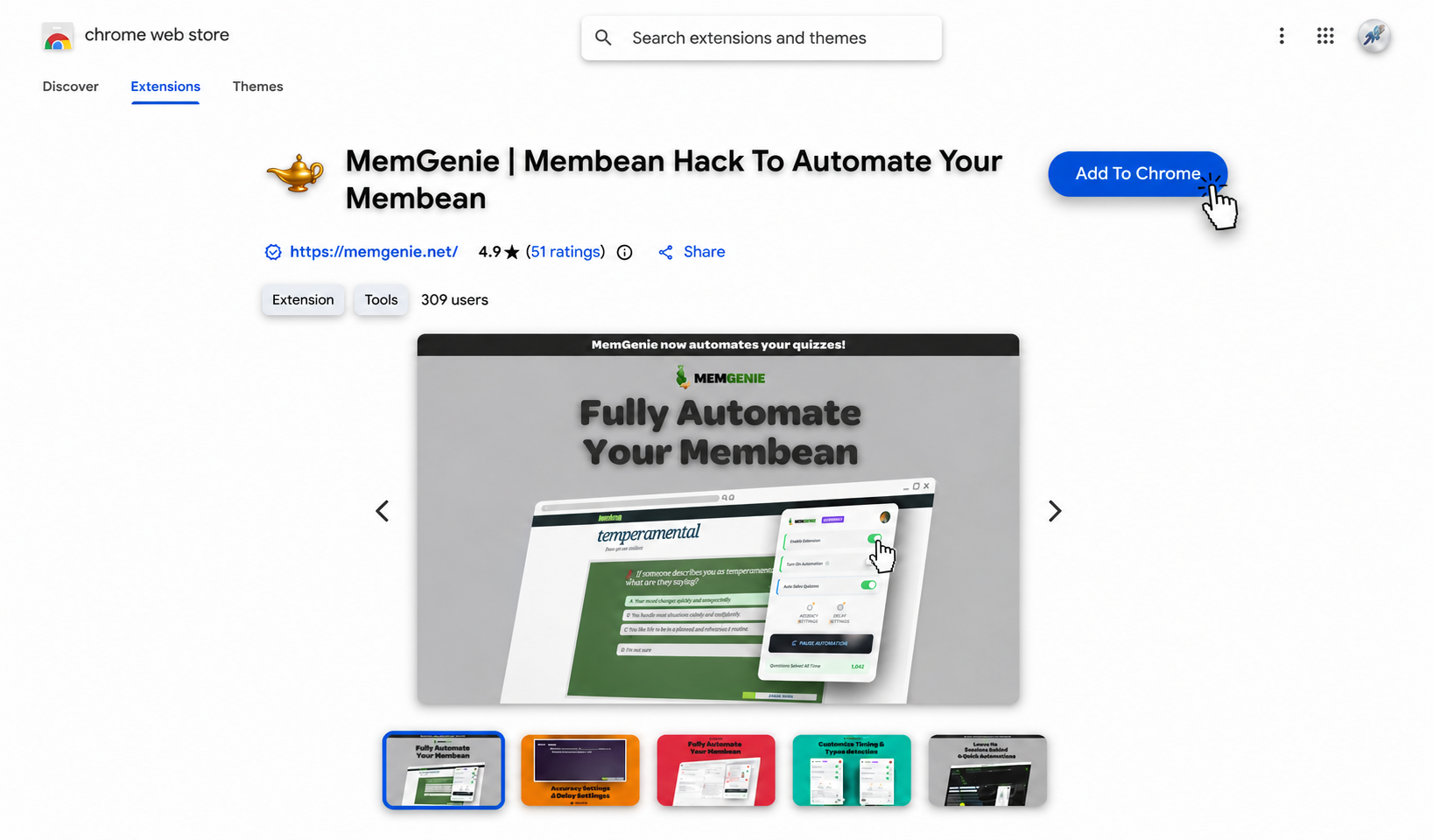
Open the MemGenie listing in the Chrome Web Store and click Add to Chrome. It installs in one click, then pin the icon so it's always in reach. Using Edge or Brave? The same listing works there too.
Open your Membean session
Log in to Membean and start your training or quiz like you normally would. The extension notices you've landed on a Membean page and gets itself ready — you don't have to launch anything.
Set your controls from the toolbar
Click the pinned MemGenie icon to open the popup, then choose how accurate it should be and how long it waits between answers. Drag the sliders below — these are the real controls you'll see in the extension:
Accuracy Settings
Timing Settings
MemGenie will answer about 90% correct and wait around 10s per question — natural enough that Membean reads it as real work.
What the Chrome Extension Puts in Your Toolbar
One-Click Install
Add it from the Chrome Web Store and it's ready — no setup wizard, no account juggling.
Toolbar Popup
Every control lives in a single pinned icon, so your settings are always one click away.
Custom Accuracy
Decide how often it misses on purpose. A perfect 100% is what looks suspicious.
Answer Delays
Space the answers out so nothing lands faster than a person could read the question.
Human-Like Typing
Types with real pauses and small variations instead of one instant paste.
Quiz Mode
The extension handles Membean quizzes too, not just the nightly training.
Lightweight, One-Click, and Out of the Way
A good browser add-on shouldn't slow anything down, and this one doesn't. It's small, it installs in a single click, and it only does anything when you're actually on Membean. The rest of the time it sits in your toolbar doing nothing — no background tabs, no pop-ups, no noise. When you need it, you click the icon; when you don't, you'd never know it was there.
Keeping Membean Sessions Looking Natural
Membean flags accounts when the activity looks off — answers faster than anyone could read, a spotless score with no hesitation, the same rhythm every single question. That's what catches the identical free scripts. Because MemGenie types like a person, waits between answers, and keeps your accuracy realistic on purpose, a session done through the Chrome extension blends in with the ones you did by hand.
Why MemGenie Is the Chrome Extension to Pick
- Installs in one click: straight from the Chrome Web Store, no zip files or developer mode.
- Works past Chrome: the same download runs on Edge and Brave through the shared store.
- You stay in control: set your own accuracy and timing from the popup instead of a fixed script.
- Kept current: it updates automatically when Membean changes, so it doesn't break like old scripts.
- Easy on the wallet: unlimited use for less than an hour of tutoring.
What Chrome Users Say About MemGenie
"I clicked Add to Chrome, opened Membean, and it was already going. Easiest extension I've installed and my sessions are done in a couple minutes now."
— Jason J., Senior"I run Brave, not Chrome, and it installed from the same store with zero hassle. The toolbar popup makes it so simple to tweak the accuracy."
— Leah M., FreshmanMembean Chrome Extension FAQ
What is the Membean Chrome extension? It's the MemGenie add-on you install from the Chrome Web Store. It lives in your toolbar and auto-answers Membean sessions and quizzes with accuracy and timing you control.
How do I install it? Open the MemGenie listing in the Chrome Web Store, click Add to Chrome, and pin the icon. The whole thing takes under 30 seconds.
Does the extension work on Edge and Brave? Yes. Edge and Brave use the Chrome Web Store, so the same one-click install works on both.
Is it lightweight? Very. It only activates on Membean pages and does nothing in the background, so it won't slow your browser down.
Can I change the accuracy from the toolbar? Yes. Custom accuracy, answer delay, and typing behavior are all set in the popup that opens when you click the icon.
Is there a free version? Free scripts are the ones that get patched or flagged first. MemGenie is a maintained extension with real controls — see pricing. It also handles quizzes when you get Membean quiz answers with quiz mode.
Get the Membean Chrome Extension Today
Add MemGenie to Chrome and your Membean sessions go from a nightly chore to a couple of clicks. Install it, pin it, and let the extension handle the rest while you get your evening back.