
Meet Your Membean Helper: Less Busywork, Same Progress
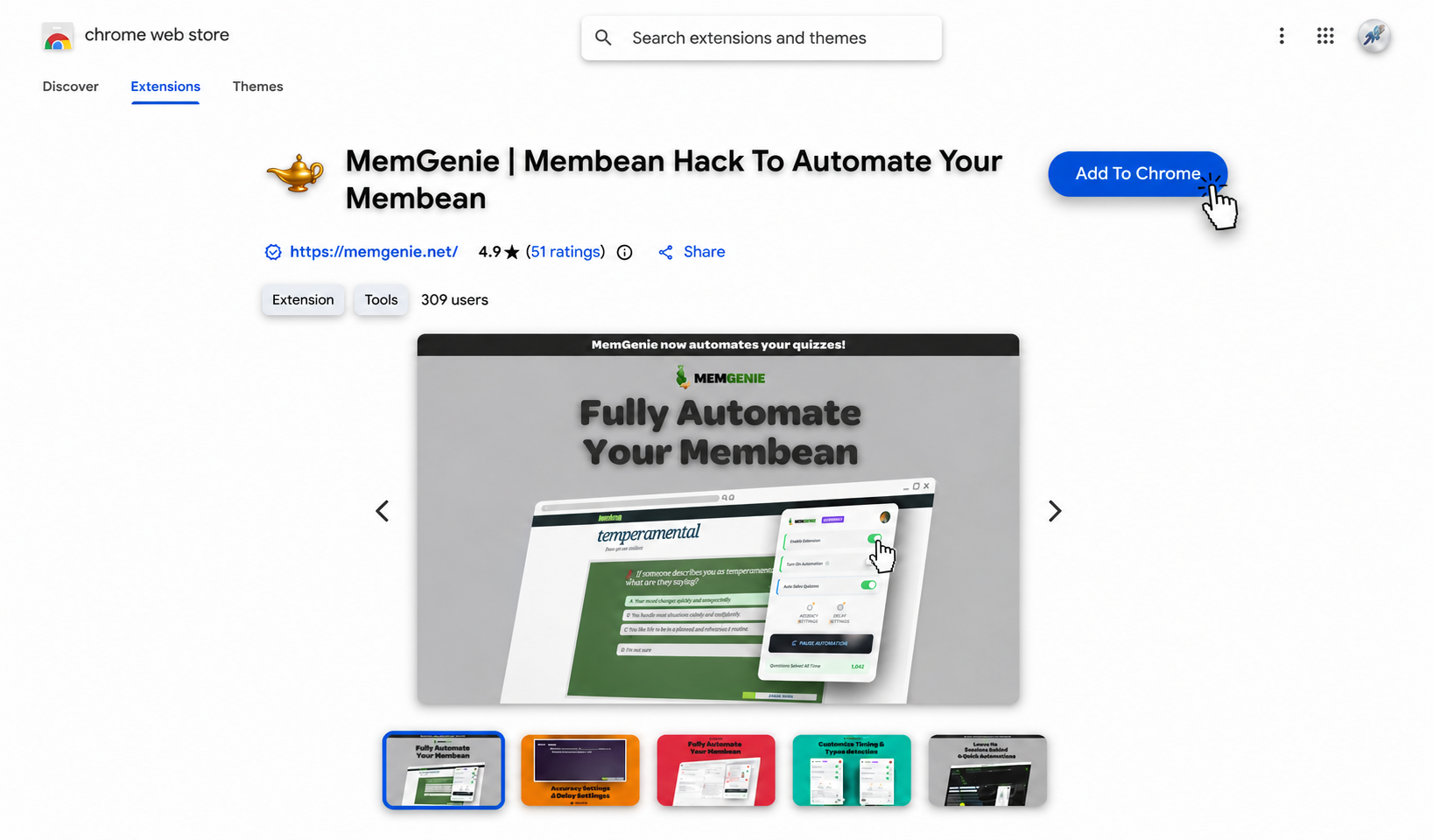
Some nights you just want the answer; other nights you want the whole session gone. MemGenie is a Membean helper that can point out the answer or finish the session for you.


Enable Extension
Switch this on and your helper is awake on any Membean page.
Turn On Automation
Leave it off for just the highlight, or flip it on to hand over the session.
Auto-Solve Quizzes
Your helper covers quizzes too, so those don't pile up either.
Accuracy
Decide how often it slips a question so the score still looks like you.
Timing
Set a gentle pause between answers so nothing rushes past reading speed.
Live Dashboard
See how many questions your helper has taken care of over time.
- 1
Enable Extension
Switch this on and your helper is awake on any Membean page.
- 2
Turn On Automation
Leave it off for just the highlight, or flip it on to hand over the session.
- 3
Auto-Solve Quizzes
Your helper covers quizzes too, so those don't pile up either.
- 4
Accuracy
Decide how often it slips a question so the score still looks like you.
- 5
Timing
Set a gentle pause between answers so nothing rushes past reading speed.
- 6
Live Dashboard
See how many questions your helper has taken care of over time.
MemGenie is a Membean helper Chrome extension that can either highlight the right answer or handle the whole session for you. You choose the level of help, plus the accuracy and timing, so a session still reads like your own work.
- Installs in about 30 seconds on Chrome, Edge, or Brave.
- Free to start.
What Is a Membean Helper?
A Membean helper is anything that takes some of the load off your assigned vocabulary work. That can mean a tool that shows you the right answer when you're stuck, or one that runs the session so you don't have to sit through every question. MemGenie is built to be both, so you decide how much help you actually want on a given night.
Why You'd Want a Membean Helper
Membean isn't hard, it's just constant. A few sessions a week, plus quizzes, and it always seems to land when you already have too much going on. A helper makes sense when:
- You've got a full plate and Membean is the thing eating your evening
- You know the word but keep second-guessing which answer they want
- A missed session or a rough quiz quietly drags your grade down
- You'd rather spend the time on real coursework, or just rest
Get the Highlight, or Let It Handle Everything
This is the part that sets MemGenie apart from a plain answer-key lookup. It works at two speeds, and you pick which one on the fly:
- Just the highlight: keep automation off and MemGenie points out the right choice. You still click through, but you're never stuck guessing.
- Let it handle everything: turn automation on and it answers the session for you, with the accuracy and timing you set so it stays natural.
Some people use the highlight when they want to stay hands-on and learn a bit, then flip to full handling on a busy night. Both live in the same popup, so switching takes one tap.
How Your Membean Helper Works
MemGenie sits inside your Membean session and does as much or as little as you ask. Getting set up takes three steps:
Add the MemGenie helper to Chrome
Install MemGenie from the Chrome Web Store. It takes under a minute and works on Chrome, Edge, and Brave, so you're ready before your next session.
Start your Membean session
Open Membean and begin your training or quiz like you normally would. MemGenie notices the page and quietly gets ready in the background.
Choose the highlight or full handling
Leave automation off to just see the answer, or turn it on and set how accurate and how quick you want it. Drag the sliders below to see the real MemGenie controls:
Accuracy Settings
Timing Settings
MemGenie will answer about 70% correct and wait around 10s per question — natural enough that Membean reads it as real work.
What Your Membean Helper Controls
Answer Highlights
Shows the right choice so you can keep clicking through on your own when you want to.
Custom Accuracy
Ease off from a perfect score on purpose, since flawless every time is what looks off.
Answer Delays
Adds a pause between answers so the pace matches someone actually reading.
Human-Like Typing
Types with small pauses and variation instead of dropping in one instant paste.
Quiz Support
Handles the quizzes as well, not only the regular training sessions.
Chrome Extension
Set it up once and your helper stays in the browser, ready whenever you need it.
How It Keeps Sessions Looking Natural
Membean tends to notice when things look off, like answers that come faster than anyone could read or a run of perfect scores with no hesitation. That's usually what trips up the copy-paste scripts. Because MemGenie types with real pauses, waits between answers, and lets you keep the accuracy a little short of perfect, a handled session blends in with the ones you did yourself. When you're only using the highlight, there's even less to notice, since you're the one clicking.
Why MemGenie Is the Membean Helper to Pick
- Help at your pace: take just the highlight or hand off the whole session, and switch between them anytime.
- Made to blend in: real typing, real pauses, and accuracy you can keep just short of perfect.
- Quizzes included: your helper handles quizzes too, so those don't stack up either.
- Kept current: we update it when Membean changes, so it keeps working instead of quietly breaking.
- Easy to try: it's free to start.
What Students Say About MemGenie
"I mostly use the highlight so I'm still doing the clicking, but on late nights I let it run the whole thing. Having both is the reason I stuck with it."
— Zoe A., Senior"It honestly feels like a study buddy that does the boring part. I keep accuracy around 80% and it's never looked like a bot."
— Ryan O., FreshmanMembean Helper FAQ
What is a Membean helper? It's a tool that takes some of the work off your Membean sessions — either by pointing out the right answer or by running the session for you. MemGenie does both and lets you pick.
Can MemGenie just show me the answer instead of doing everything? Yes. Leave automation off and it highlights the right choice while you click through yourself. Turn automation on when you want it to handle the whole session.
Does the helper work as a Chrome extension? Yes. MemGenie is a Membean helper Chrome extension, so once you install it your controls live right in the browser.
Can I change the accuracy and timing? Yes. Custom accuracy and answer delay are the main controls, along with human-like typing, so each session can be dialed in.
Is there a free Membean helper? MemGenie is free to start — see pricing for plans. It also answers quizzes when you get Membean quiz answers with quiz mode.
Get Started With Your Membean Helper
MemGenie gives you a Membean helper that meets you where you are — a quick highlight when you want to stay hands-on, or a fully handled session when you just need it done. Add it to Chrome and see how much lighter your week feels.